Flat Design Educacional Vibrante
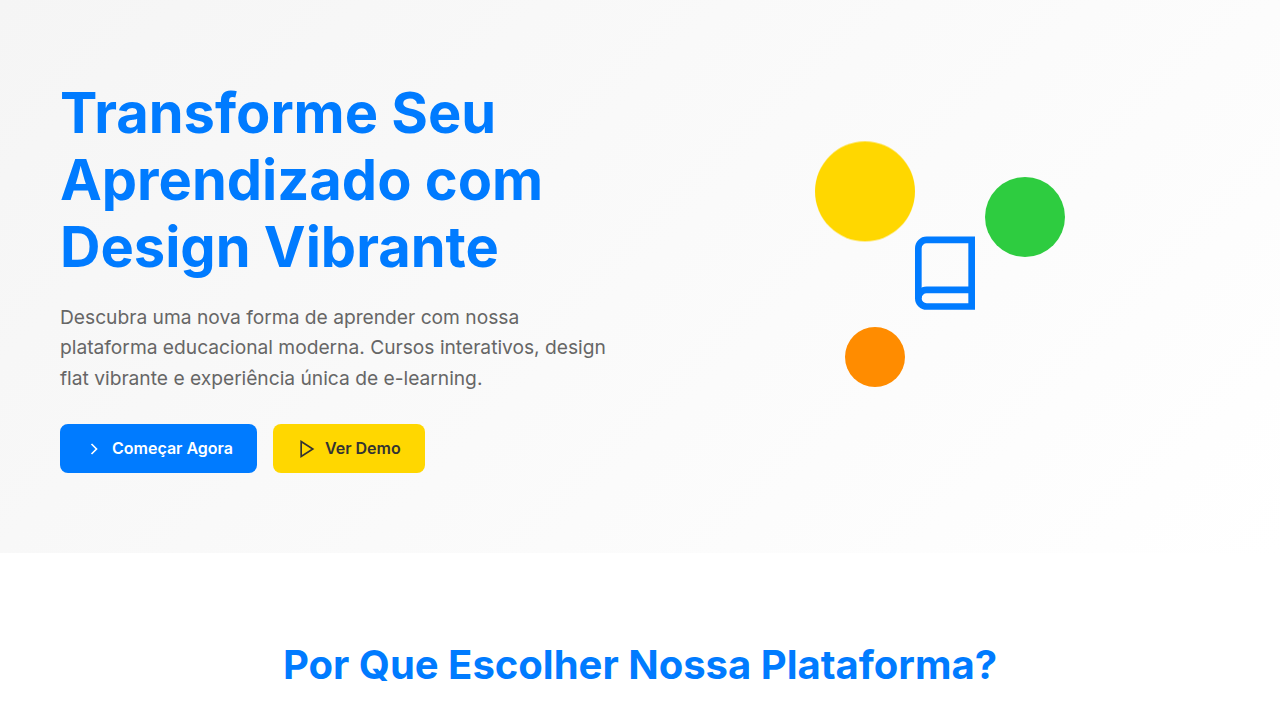
Design an engaging and interactive flat design landing page for an e-learning platform. Ideal for landing pages, modern websites. AI-ready template.
Use case: Landing pages, Modern websites
Historical Context
Flat design found its loudest, most joyful expression in education. When Duolingo launched with that lime green owl and those chunky, shadow-free illustrations, it wasn't just a style choice — it was a pedagogical one. Bold, unmodulated color reduces cognitive load. There's nothing to decode visually, so all your mental energy goes to the actual learning. Khan Academy followed a similar logic: clean backgrounds, solid-color UI elements, minimal ornamentation. The content breathes. What makes educational flat design distinct from, say, Microsoft's Metro era is the vibrancy. These aren't muted corporate palettes. They're saturated, warm, almost toy-like. That's intentional. Color psychology in learning environments isn't new — Montessori classrooms have used bold primaries for a century. Digital flat design just translated that principle to pixels. The approach democratized learning interfaces. When everything looks approachable and nothing looks intimidating, the barrier to starting drops. A calculus lesson wrapped in friendly purple and orange feels less like homework and more like play. That's the whole trick.
When to Use
When your users need encouragement more than information density. E-learning platforms where completion rates matter. Kids' apps where delight drives engagement. Interactive courses that compete with TikTok for attention. Onboarding flows that teach product features without feeling like documentation. Anywhere the goal is 'I can do this' rather than 'this looks serious.' Not ideal for dense reference material or professional certification platforms where credibility signals matter more than approachability.
Design Principles
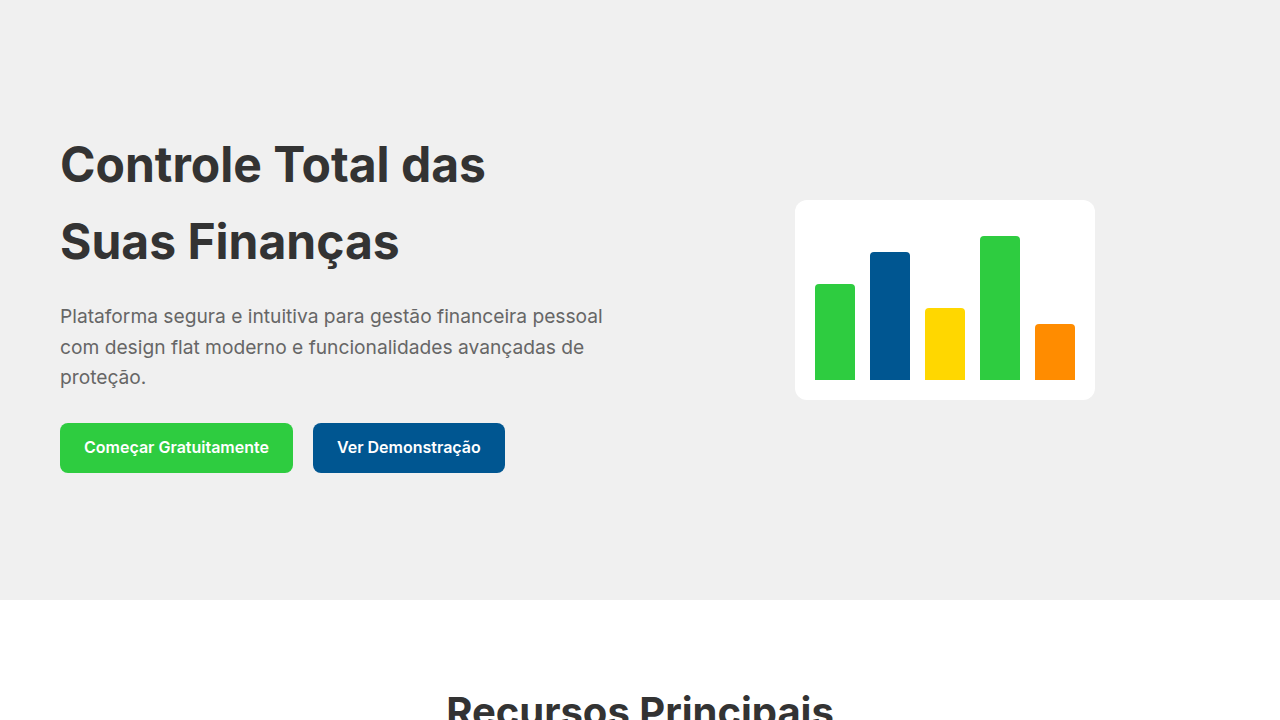
- High-saturation palette with 4-6 bold primaries — no gradients, no shadows deeper than 2px. Each color maps to a content category or progress state, creating wayfinding through hue alone.
- Generous whitespace between interactive elements. Touch targets oversized by 20-30% beyond minimum. Everything breathable, nothing cramped. The layout itself communicates 'take your time.'
- Illustration style: geometric, flat, character-driven. Figures have simple expressions and exaggerated proportions. They celebrate mistakes (confetti on retry, not red X marks). The visual language rewards participation over perfection.
- Typography pairing: one rounded sans-serif for UI and headings (friendly), one clean geometric sans for body text (readable). Weight contrast does the hierarchy work that shadows and borders would do elsewhere.
- Micro-interactions use position and scale — never opacity fades alone. Elements bounce, slide, grow. Motion confirms action and maintains the playful register without becoming distracting during focused learning moments.
DESIGN.md
---
version: "alpha"
name: "Flat Design Educacional Vibrante"
description: "Design an engaging and interactive flat design landing page for an e-learning platform. Ideal for landing pages, modern websites. AI-ready template."
colors:
  primary: "#007BFF"
  secondary: "#FFD700"
  tertiary: "#2ECC40"
  neutral: "#FFFFFF"
  surface: "#FF8C00"
  accent: "#9370DB"
typography:
  h1:
    fontFamily: Roboto
    fontSize: 2.5rem
    fontWeight: 700
  body-md:
    fontFamily: Roboto
    fontSize: 1rem
    fontWeight: 400
components:
  button-primary:
    backgroundColor: "{colors.primary}"
    textColor: "{colors.neutral}"
    padding: 12px
---

## Overview

Design an engaging and interactive flat design landing page for an e-learning platform. Ideal for landing pages, modern websites. AI-ready template. Flat design found its loudest, most joyful expression in education. When Duolingo launched with that lime green owl and those chunky, shadow-free illustrations, it wasn't just a style choice — it was a pedagogical one. Bold, unmodulated color reduces cognitive load. There's nothing to decode visually, so all your mental energy goes to the actual learning. Khan Academy followed a similar logic: clean backgrounds, solid-color UI elements, minimal ornamentation. The content breathes.

What makes educational flat design distinct from, say, Microsoft's Metro era is the vibrancy. These aren't muted corporate palettes. They're saturated, warm, almost toy-like. That's intentional. Color psychology in learning environments isn't new — Montessori classrooms have used bold primaries for a century. Digital flat design just translated that principle to pixels.

The approach democratized learning interfaces. When everything looks approachable and nothing looks intimidating, the barrier to starting drops. A calculus lesson wrapped in friendly purple and orange feels less like homework and more like play. That's the whole trick.

- Density: 5/10 — Balanced
- Variance: 2/10 — Structured
- Motion: 4/10 — Subtle

- **Style:** Engaging, Interactive, Modern
- **Keywords:** e-learning, online courses, interactive, flat design, engaging, modern, vibrant, clear, structured, accessible
- **Era:** 2026+ Aprendizado Dinâmico
- **Light/Dark:** ✓ Full / ✗ No

## Colors

- **Azul Elétrico** (#007BFF) — Accent highlight, links and focus states
- **Amarelo Sol** (#FFD700) — Warning states, attention indicators
- **Verde Esmeralda** (#2ECC40) — Supporting palette color
- **Branco** (#FFFFFF) — Light surface, card backgrounds
- **Laranja Vibrante** (#FF8C00) — Warm accent, call-to-action secondary
- **Roxo Suave** (#9370DB) — Accent color, emphasis elements
- **Rosa Choque** (#FF00CC) — Decorative accent, highlight elements
- **Cinza Claro** (#F5F5F5) — Secondary text, borders, muted elements


## Typography

- **Display / Hero:** Roboto — Weight 700, tight tracking, used for headline impact
- **Body:** Roboto — Weight 400, 16px/1.6 line-height, max 72ch per line
- **UI Labels / Captions:** Roboto — 0.875rem, weight 500, slight letter-spacing
- **Monospace:** JetBrains Mono — Used for code, metadata, and technical values

Scale:
- Hero: clamp(2.5rem, 5vw, 4rem)
- H1: 2.25rem
- H2: 1.5rem
- Body: 1rem / 1.6
- Small: 0.875rem


## Layout

- **Grid:** CSS Grid primary. Max-width containment: 1280px centered with 1.5rem side padding.
- **Spacing rhythm:** Balanced. Base unit: 0.5rem (8px).
- **Section vertical gaps:** clamp(4rem, 8vw, 8rem).
- **Hero layout:** Split-screen (text left, visual right).
- **Feature sections:** Zig-zag alternating text+image rows. No 3-equal-columns.
- **Mobile collapse:** All multi-column layouts collapse below 768px. No horizontal overflow.
- **z-index contract:** base (0) / sticky-nav (100) / overlay (200) / modal (300) / toast (500).


## Elevation & Depth

Elementos de interface planos com ícones ilustrativos, cores primárias e secundárias vibrantes para categorização, tipografia sans-serif legível, ilustrações vetoriais animadas, micro-interações de progresso com feedback visual, transições de elementos suaves e funcionais.

- **Physics:** Ease-out curves, 200-300ms duration. Smooth and predictable.
- **Entry animations:** Fade + translate-Y (16px → 0) over 420ms ease-out. Staggered cascades for lists: 80ms between items.
- **Hover states:** Subtle color shift + shadow adjustment over 200ms.
- **Page transitions:** Fade only (200ms).
- **Performance:** Only transform and opacity animated. No layout-triggering properties.


## Shapes

Base corner radius: 8px. See rounded tokens in front matter for the full scale.


## Components

- **Primary Button:** Subtly rounded (0.5rem) shape. Accent color fill. Hover: 8% darken + subtle lift shadow. Active: -1px translate tactile press. Font weight 600. No outer glows.
- **Secondary / Ghost Button:** Outline variant. 1.5px border in muted color. Text in primary color. Hover: subtle background fill.
- **Cards:** Subtly rounded (0.5rem) corners. Surface background. Subtle shadow (0 2px 12px rgba(0,0,0,0.06)). 1px border stroke.
- **Inputs:** Label above input. 1px border stroke. Focus ring: 2px accent color offset 2px. Error text below in semantic red. No floating labels.
- **Navigation:** Primary surface background. Active item: accent color indicator. Font weight 500 when active.
- **Skeletons:** Shimmer animation matching component dimensions. No circular spinners.
- **Empty States:** Icon-based composition with descriptive text and action button.


## Do's and Don'ts

- No emojis in UI — use icon system only (Lucide, Heroicons)
- No pure black (#000000) — use off-black or charcoal variants
- No oversaturated accent colors (saturation cap: 80%)
- No 3-column equal-width feature layouts — use zig-zag or asymmetric grid
- No `h-screen` — use `min-h-[100dvh]`
- No AI copywriting clichés: "Elevate", "Seamless", "Unleash", "Next-Gen"
- No broken external image links — use picsum.photos or inline SVG
- No generic lorem ipsum in demos

- Do Elementos planos com ícones
- Do Cores vibrantes para categorização
- Do Tipografia sans-serif legível
- Do Ilustrações vetoriais animadas
- Do Micro-interações de progresso
- Do Transições suaves e funcionais.


## Use Case

Landing pages, Modern websites
Technical Specs
CSS
background: #FFFFFF, color: #333333, border: none, box-shadow: none, font-family: "Roboto, sans-serif", transition: all 0.3s ease-in-out, .course-card-flat, .animated-illustration, .progress-bar-flat.
Variables
--electric-blue: #007BFF, --sun-yellow: #FFD700, --emerald-green: #2ECC40, --white-bg: #FFFFFF, --font-main: "Roboto, sans-serif", --vibrant-orange: #FF8C00, --shadow-none: none.
Checklist
☐ Elementos planos com ícones, ☐ Cores vibrantes para categorização, ☐ Tipografia sans-serif legível, ☐ Ilustrações vetoriais animadas, ☐ Micro-interações de progresso, ☐ Transições suaves e funcionais.
Colors
Primary
Secondary
Effects
Elementos de interface planos com ícones ilustrativos, cores primárias e secundárias vibrantes para categorização, tipografia sans-serif legível, ilustrações vetoriais animadas, micro-interações de progresso com feedback visual, transições de elementos suaves e funcionais.
Light/Dark
✓ Full / ✗ No
AI Prompt
Act as a Senior Frontend Engineer and Expert UI Designer.
Your task is to code a complete Landing Page on the first attempt.
- Landing Page Theme: <INSERT THEME>
- Sections to add: <INSERT SECTIONS>

Generate the final code immediately following these definitions:

## Style

- **Name:** Flat Design Educacional Vibrante
- **Type:** Engaging, Interactive, Modern
- **Keywords:** e-learning, online courses, interactive, flat design, engaging, modern, vibrant, clear, structured, accessible
- **Era:** 2026+ Aprendizado Dinâmico
- **Light/Dark:** ✓ Full / ✗ No

## Color Palette

- **Primary:** Azul Elétrico #007BFF, Amarelo Sol #FFD700, Verde Esmeralda #2ECC40, Branco #FFFFFF
- **Secondary:** Laranja Vibrante #FF8C00, Roxo Suave #9370DB, Rosa Choque #FF00CC, Cinza Claro #F5F5F5

## Visual Effects

Elementos de interface planos com ícones ilustrativos, cores primárias e secundárias vibrantes para categorização, tipografia sans-serif legível, ilustrações vetoriais animadas, micro-interações de progresso com feedback visual, transições de elementos suaves e funcionais.

## AI Visual Direction

Design an engaging and interactive flat design landing page for an e-learning platform. Use: flat UI elements with illustrative icons, vibrant primary and secondary colors for categorization, legible sans-serif typography, animated vector illustrations, visual progress feedback micro-interactions, smooth functional element transitions, electric blue and sun yellow accents, clear and accessible feel.

## CSS Technical

```css
background: #FFFFFF, color: #333333, border: none, box-shadow: none, font-family: "Roboto, sans-serif", transition: all 0.3s ease-in-out, .course-card-flat, .animated-illustration, .progress-bar-flat.
```

## Design System Variables

```css
--electric-blue: #007BFF, --sun-yellow: #FFD700, --emerald-green: #2ECC40, --white-bg: #FFFFFF, --font-main: "Roboto, sans-serif", --vibrant-orange: #FF8C00, --shadow-none: none.
```

## Implementation Checklist

- ☐ Elementos planos com ícones
- ☐ Cores vibrantes para categorização
- ☐ Tipografia sans-serif legível
- ☐ Ilustrações vetoriais animadas
- ☐ Micro-interações de progresso
- ☐ Transições suaves e funcionais.

## Execution Rules

1. Strictly follow the defined visual style.
2. Use high-quality inline SVG icons (Heroicons or Lucide style) — NEVER use emojis as icons.
3. Add `cursor-pointer` and smooth `hover` states (transition-all) on all interactive elements.
4. Required Page Structure:
   - Navbar (Logo + Links + CTA)
   - Hero Section (Impactful Headline + Subtitle + 2 buttons + 3D/Abstract visual element via CSS)
   - Features (3 cards with icons)
   - Testimonials (3 cards)
   - Pricing (3 tiers, highlight the middle one)
   - Final CTA
   - Full Footer with social links, privacy policy, terms of use, contact and SEO links.
5. All text content must be in English.
6. The visual must be CLEARLY distinct — do not create a "default Bootstrap" design. Force the use of the provided design system variables.
7. Use `<style>` tags in the head for custom classes (especially for complex backdrop-filter effects and animations) that Tailwind CDN doesn't cover.
8. Full Responsiveness: Layout must adapt perfectly to Mobile, Tablet and Desktop (vertical stack on mobile).
9. Include basic SEO, Viewport and Open Graph meta tags in `<head>`.
10. Footer must contain: Copyright 2026, Secondary navigation links and Social media icons.
11. Make the creative decisions needed to deliver the complete, functional result now.
Related
Last synced: 4/1/2026